
NCS-AddOn info
The add-on info shows which version is installed and whether the database is at the matching level. It is the first place to look for support questions and after every update.
What is this for?
- Check the installed version and installation date.
- Review the database update state and complete it if necessary.
- Open the release notes of the running version.
- Export settings and import them into another company.
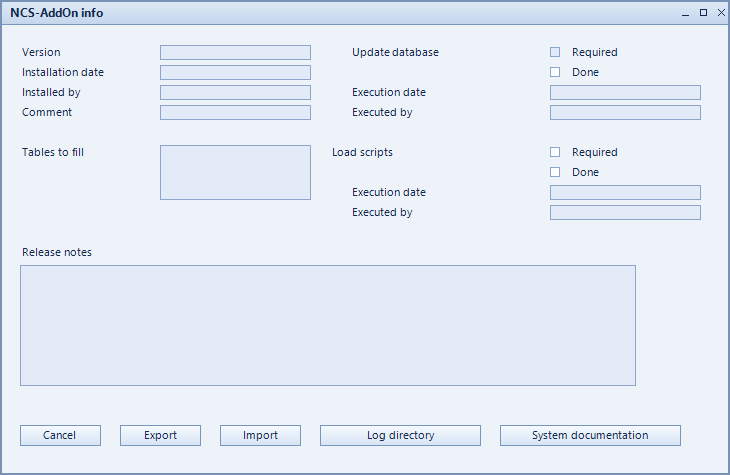
How to set it up
- Open the form via NCS-AddOn → Info.
- Read the current state under version and installation date.
- If database update shows open steps, run the update.
- Use export settings / import settings to move configurations between companies.
- For support cases, refer to the log directory.
Fields of the form
Captions taken from the "NCS-AddOn info" form (table @NCSUPDATES).
| Field | Meaning |
|---|---|
| Version | Installed version of the add-on. |
| Executed by | User who executed it. |
| Execution date | Time of execution. |
| Installation date | Date of installation. |
| Installed by | User who installed it. |
| Database update | State of the database update. |
| Tables to fill | Tables that still need to be filled. |
| Load scripts | |
| Comment | Note on the entry. |
| Release notes | Opens the change notes for the version. |
| Export Settings | Writes the configuration to a file. |
| Required | Marks the steps that are required. |
| Done | Marks the steps already done. |
| Import Settings | Reads a configuration from a file. |
| Log directory | Directory holding the log files. |
| Filename | Name of the file. |
| System documentation |