
Timers
A timer runs a task repeatedly – fetching emails or archiving in the background, for example. Timers run in the NCS-AddOn on the workstation; anything that has to run independently of a signed-in user belongs in the NCS-Webservice instead.
What is this for?
- Trigger recurring tasks automatically.
- Define interval and first start.
- Use single user only to stop several workstations from running the same task twice.
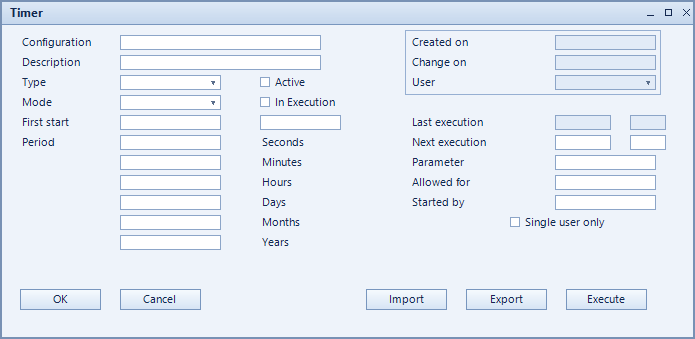
How to set it up
- Create the timer and choose the task under type.
- Set the first run under first start.
- Define the period and its unit (seconds, minutes, hours, days, months, years).
- Add parameters if needed and tick single user only.
- Activate the timer. Last execute and next execute then show its run state.
Fields of the form
Captions taken from the "Timer" form (table @NCSTIMER).
| Field | Meaning |
|---|---|
| Configuration | Unique key of the configuration. |
| Description | Descriptive name of the record. |
| Type | The task the timer runs. |
| Active | Enables the record. Only active records are evaluated. |
| First start | Time of the first run. |
| Period | Interval between two runs. |
| Last execute: | Time of the last run. |
| Next execute: | Scheduled time of the next run. |
| Running | Shows whether the timer is currently running. |
| Mode | Execution mode of the task. |
| Parameter | Additional input for the task. |
| Started by | User the timer was started by. |
| Allowed for | |
| Single user only | The timer runs on one workstation only, not on all at once. |